6 Best Drone Softwares For Aerial Editing For Pros
Discover the top 6 drone editing tools for professionals. Enhance your aerial footage with these powerful software solutions designed for precision and quality.
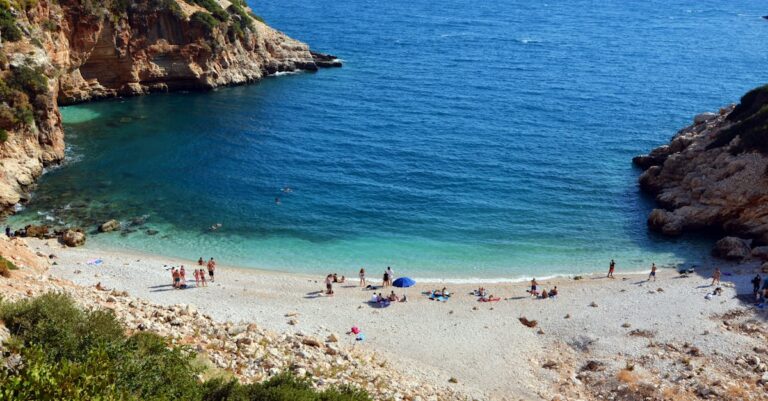
Capturing the perfect shot of a hidden cove or a sprawling shoreline requires more than just a high-end drone; it demands the right digital toolkit to bring those raw files to life. Whether you are documenting the rhythmic patterns of ocean waves or mapping a lake’s perimeter, your post-production workflow defines the final impact of your work. These six software solutions represent the gold standard for professionals looking to elevate their aerial cinematography and survey data.
Disclosure: As an Amazon Associate, this site earns from qualifying purchases. Thank you!
Adobe Premiere Pro: Industry Standard for Drones
Adobe Premiere Pro remains the most versatile powerhouse for drone pilots who need a seamless integration with the entire Creative Cloud suite. If you are regularly pulling in high-bitrate footage from a drone and need to sync it with ground-based cameras or complex audio tracks, this is your primary hub. Its robust Lumetri Color panel and advanced stabilization tools make it the go-to for filmmakers who prioritize creative flow over niche technical functions.
However, Premiere Pro does demand a high-performance machine to run smoothly with 4K or 6K drone files. It is best suited for the professional who is already embedded in the Adobe ecosystem and values a familiar, reliable interface that handles almost any file format you throw at it. If you need a jack-of-all-trades that excels in collaborative environments, look no further.
DaVinci Resolve: Professional Color Correction
When it comes to the specific challenges of water cinematography—where the blue of the sky meets the reflective surface of the lake—DaVinci Resolve is unmatched. Its color grading engine is the industry benchmark, allowing you to isolate and manipulate specific light reflections on the water’s surface that other programs simply cannot touch. For those who want their aerial footage to look like a cinematic feature film, this is the essential choice.
The learning curve is steeper than most, but the node-based workflow offers a level of precision that is worth the effort for high-end production. If your goal is to make your aerial water footage pop with natural vibrancy and professional-grade contrast, invest the time to learn Resolve. It is the ultimate tool for those who refuse to compromise on visual quality.
Final Cut Pro: Optimized for Apple Drone Workflows
For the drone pilot who operates exclusively on a Mac, Final Cut Pro offers a level of efficiency that is hard to beat. Its "Magnetic Timeline" is incredibly fast for assembling quick-turnaround aerial edits, and the software is optimized to utilize Apple’s hardware acceleration to its fullest potential. If you are looking to edit 4K drone footage on a laptop while sitting on the beach, this is your best bet.
It is a sleek, modern, and highly intuitive platform that avoids the clunkiness of older legacy software. While it may lack the granular color control of DaVinci Resolve, it is more than capable for 95% of professional aerial projects. Choose Final Cut Pro if you value speed and seamless hardware integration above all else.
Litchi: Advanced Automated Flight Path Planning
Litchi moves beyond simple editing to solve the problem of getting the perfect shot in the first place. By allowing you to pre-program waypoints and complex camera angles, it ensures your flight path is mathematically perfect every time. This is vital for capturing consistent, repeatable aerial sweeps of a coastline that would be impossible to fly manually.
It essentially acts as an autopilot for your drone, letting you focus on the artistic composition while the software handles the precise geometry of the flight. This is an essential tool for solo operators who need to execute cinematic moves without a dedicated camera pilot. If you want to elevate your production value through complex, smooth motion, Litchi is a mandatory addition to your kit.
DroneDeploy: Precision Mapping and 3D Modeling
DroneDeploy is the industry leader for professionals who need to turn aerial data into actionable insights rather than just pretty videos. If you are monitoring coastal erosion, checking the health of a marina, or mapping a lake’s topography, this software processes your imagery into highly accurate 2D maps and 3D models. It is built for the technical professional, not the filmmaker.
The platform is cloud-based, meaning you can upload your flight data directly from the field and receive processed results without needing a supercomputer. It is the perfect solution for environmental surveyors or property managers who need precision measurements. If your drone work is about data rather than drama, DroneDeploy is the correct investment.
Pix4Dmapper: Photogrammetry for Aerial Surveys
Pix4Dmapper takes the concept of mapping to the extreme, offering the most advanced photogrammetry tools available for aerial surveys. It excels at stitching thousands of individual drone images into highly detailed, survey-grade 3D models. When accuracy is measured in millimeters, this is the only software that provides the level of reliability required for engineering and construction projects.
While it is significantly more expensive and complex than general mapping tools, the level of control it offers over the final data output is unparalleled. It is designed for the professional who treats their drone as a scientific instrument. If your livelihood depends on the absolute accuracy of your aerial surveys, Pix4Dmapper is the gold standard.
Essential Hardware for High-End Drone Editing
Editing high-resolution aerial footage is a resource-intensive process that will quickly expose the weaknesses in your computer hardware. You need a workstation with a high-performance GPU, at least 32GB of RAM, and a fast processor to handle the heavy lifting of 4K or 6K drone files. Don’t skimp on your monitor either; you need a screen that covers at least 99% of the sRGB color space to ensure your colors are accurate.
- GPU: Prioritize dedicated video memory (VRAM) to handle complex effects and color grading.
- Storage: Use an NVMe SSD for your active editing drive to prevent playback lag.
- Peripherals: A dedicated color-grading control surface can significantly speed up your workflow in programs like DaVinci Resolve.
Optimizing Drone Footage for Water Landscapes
Water is one of the most difficult subjects to film because it is constantly moving and reflecting light. To get the best results, you must use a circular polarizer filter on your drone’s lens to cut through surface glare and reveal the textures beneath the water. When editing, focus on balancing the exposure between the bright sky and the darker water to avoid losing detail in the highlights or shadows.
Always shoot in a flat or log color profile to maximize your dynamic range, which gives you more flexibility during the grading process. Remember that water looks best when the light is soft, so try to schedule your flights during the "golden hour" to avoid the harsh, flat light of midday. These small adjustments in the field will save you hours of frustration in the editing bay.
Managing High-Resolution Aerial Data Storage
Aerial photography generates massive amounts of data, and if you aren’t organized, you will lose track of your best footage within a month. Implement a "3-2-1" backup strategy: keep three copies of your data, on two different types of media, with one copy stored off-site. For active projects, use high-speed external SSDs, but migrate finished projects to large-capacity, redundant RAID storage systems.
- File Naming: Use a consistent naming convention that includes the date, location, and flight mission.
- Organization: Group files by project folder, separating raw footage from proxy files and final exports.
- Archive: Once a project is delivered, move the raw data to cold storage to keep your primary drives fast and clutter-free.
Best Practices for Professional Color Grading
Color grading is not just about making things look "pretty"; it is about creating a cohesive mood that tells a story. When editing aerial footage of water, start by correcting your white balance to ensure the natural colors of the environment are represented accurately. From there, use masks to subtly adjust the saturation of the water independently from the sky, ensuring the blues don’t bleed into your landscape.
Avoid the temptation to over-saturate your images, which is a common mistake that makes aerial footage look artificial and amateurish. Instead, focus on subtle contrast adjustments and color harmony to guide the viewer’s eye. A professional grade should feel like an enhancement of reality, not a total replacement of it.
Mastering the technical side of aerial editing is just as important as learning how to fly the drone itself. By selecting the right software for your specific needs—whether that is cinematic storytelling or precise topographical mapping—you ensure that your work stands out in a crowded field. Take the time to refine your workflow, prioritize your data security, and always respect the unique challenges of filming our beautiful, reflective waterways.